ToothFairy
Description
Control your Bluetooth devices on your Mac with a single click of your mouse or a tap on your keyboard. ToothFairy is the ultimate Bluetooth assistant you simply won't be able to live without: connect, disconnect, or switch between devices in mere seconds right from the menu bar or by using customizable keyboard shortcuts. On top of that, instantly view useful and detailed information for each device instead of digging through frustrating and cluttered menus.
One-Click Bluetooth Pairing
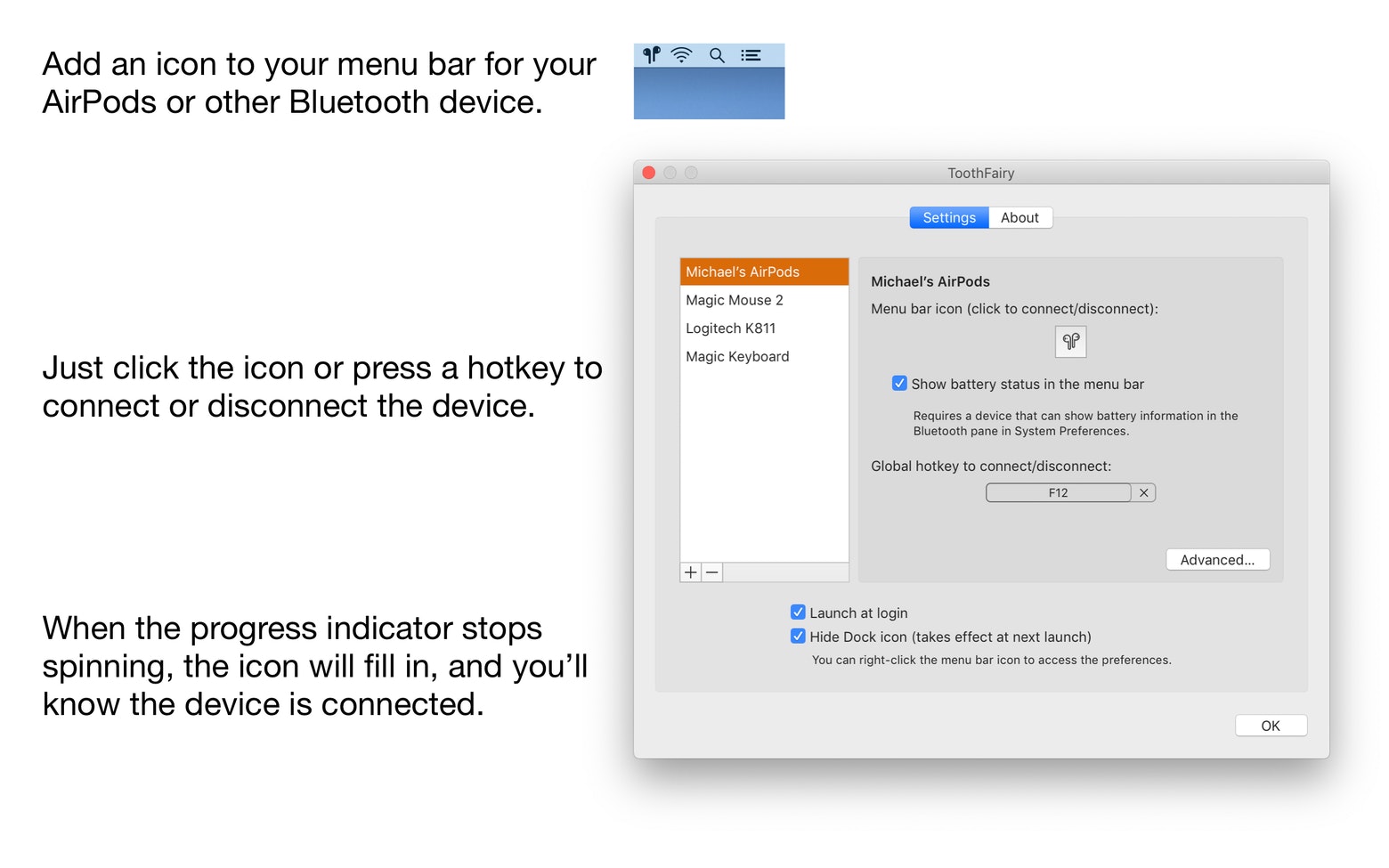
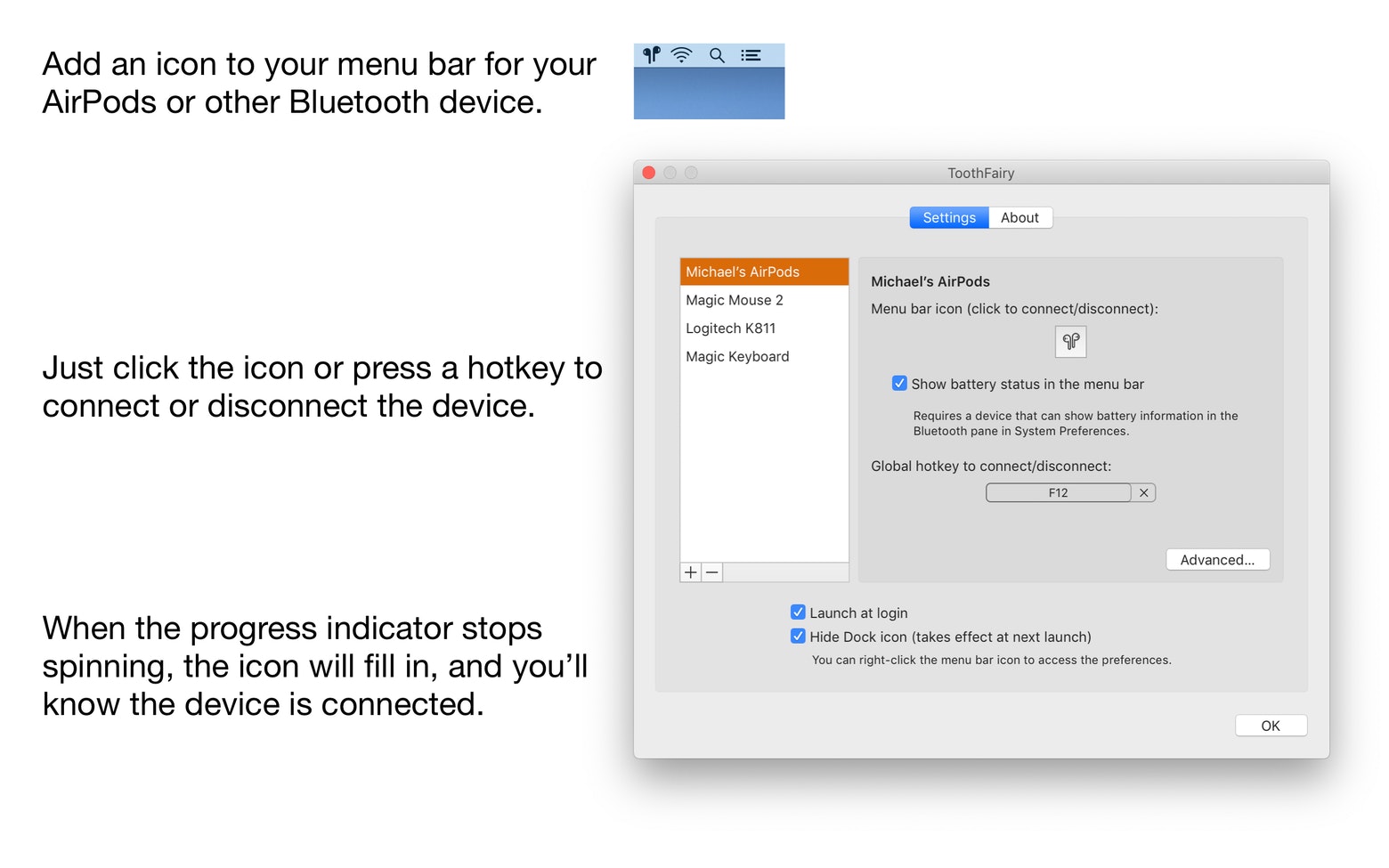
Now you can connect and disconnect devices such as AirPods with just a single click. Simply press the icon of your paired device in the menu bar to enable or disable it, seamlessly switching between your Mac and iPhone in an instant. The toothfairy app launches automatically upon login and remains ready for immediate execution of all your connectivity tasks without any delay.
Customized for You
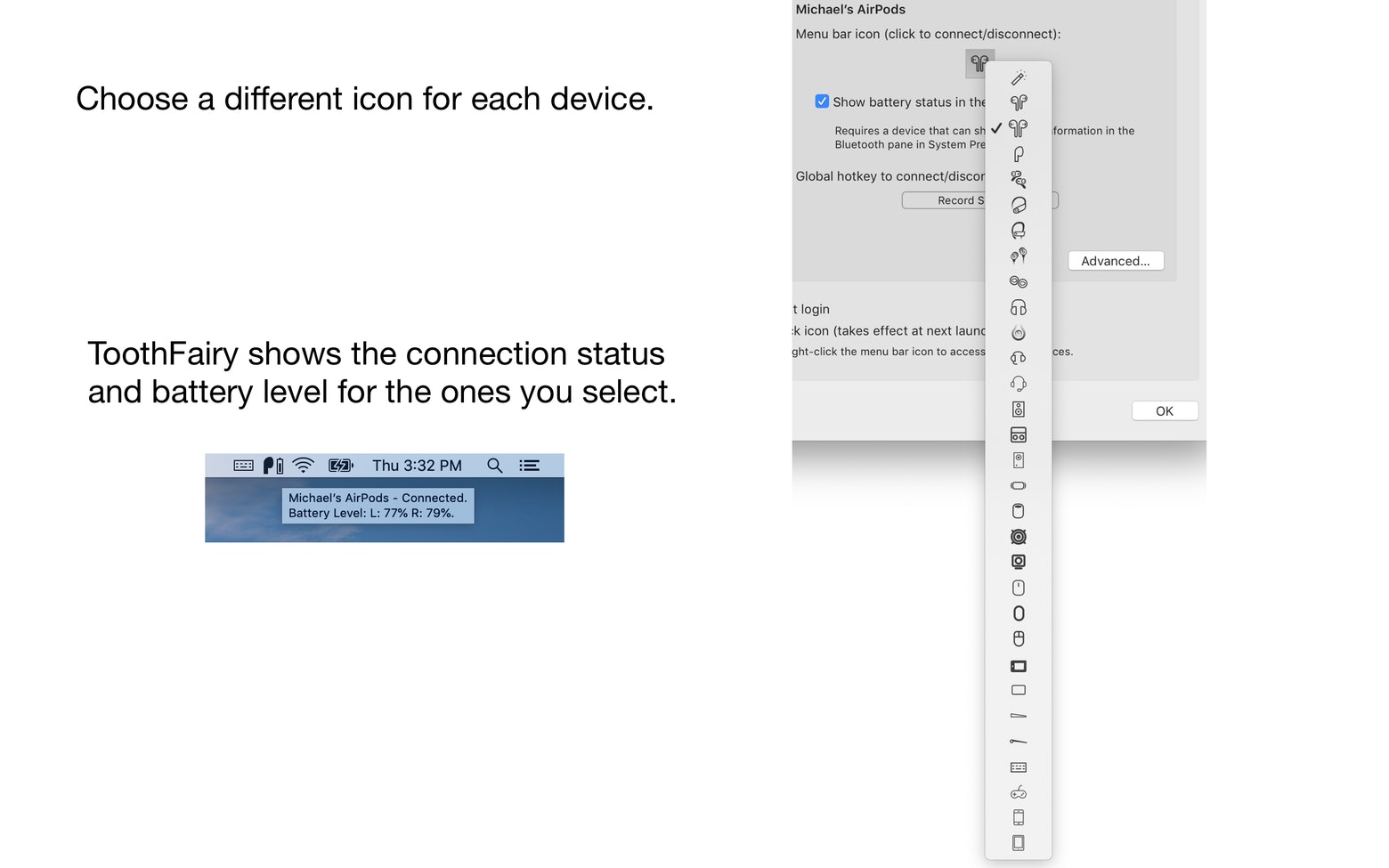
Make your Bluetooth devices truly work for you with fully customizable key combinations for effortless navigation. ToothFairy allows you to change the icons displayed in the menu bar for each individual device, so you can instantly see which one is currently connected at a glance. You can even assign dedicated hotkeys for each device, making it significantly easier and faster to switch between them whenever you need.
Works with Most Bluetooth Devices
Apply this minimalist wonder to virtually any Bluetooth device you own. The toothfairy mac utility works flawlessly with AirPods, headphones, microphones, headsets, game controllers, keyboards, and mice. It adds every single one of them to your menu bar, and you can effortlessly switch between them at any moment throughout your workflow.
Get the Best Audio Quality
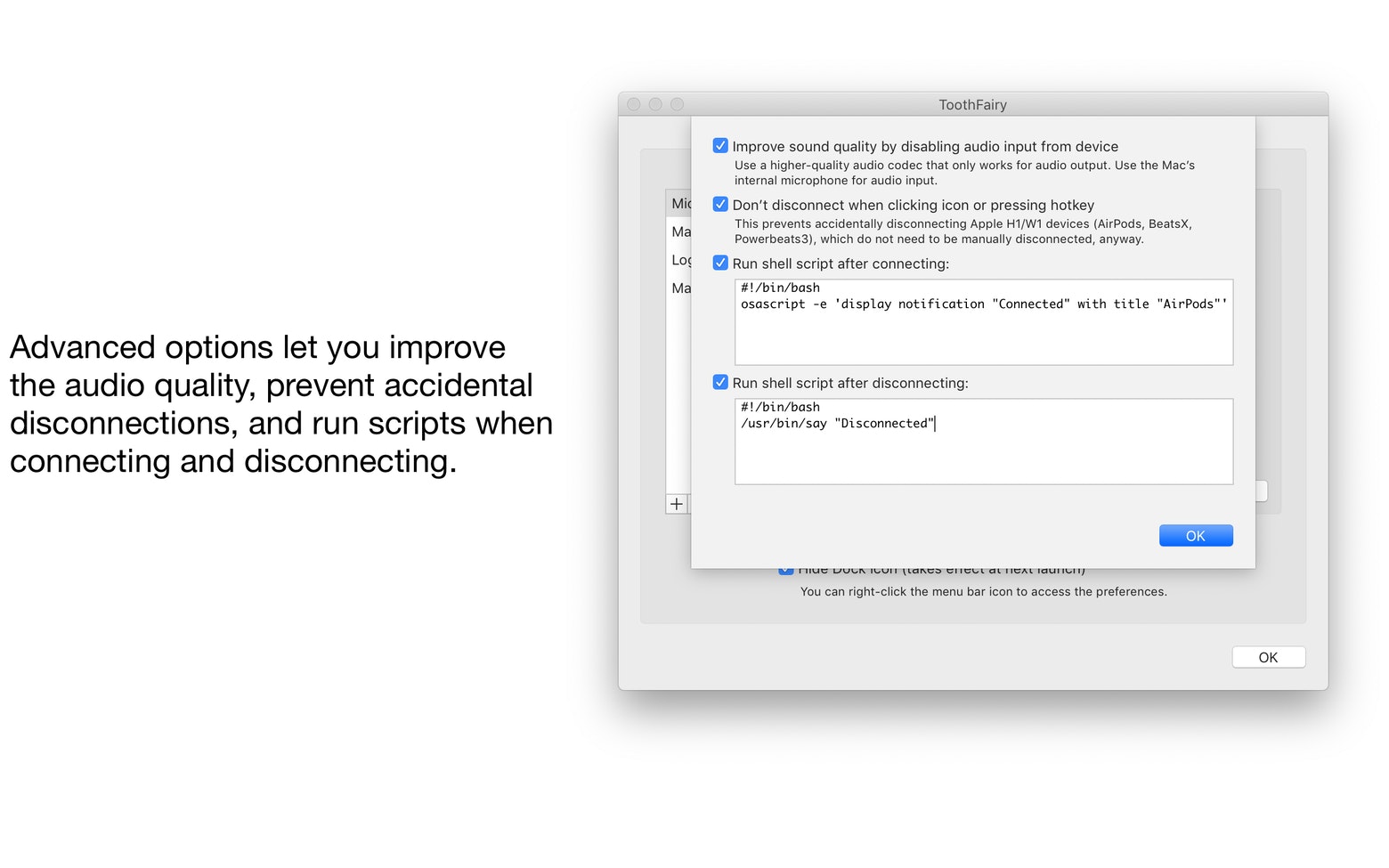
Fine-tune the best possible audio quality for your favorite headphones on your Mac. Since macOS automatically uses the SCO audio codec to handle both audio output and microphone input on your audio devices, toothfairy app mac lets you switch the codec to the high-quality AAC option if you only care about audio output, ensuring you get the absolute best sound quality whenever you desire it.
Stay Informed About Your Devices
Know exactly what is happening with your Bluetooth connections at any given moment. The clean and simple menu bar interface of ToothFairy is equipped with helpful indicators that will notify you about the connection status of each device and its current battery level. Now you can be confident that you are using the right device at the right time, and you will always be aware of when a battery needs recharging well before it completely drains and dies on you.
Advanced Features for Power Users
Get the absolute maximum out of all your Bluetooth devices on your Mac. The toothfairy application is packed with extensive advanced features designed to help you fine-tune your entire setup and configuration. Prevent unexpected disconnections, enhance your audio quality, or even run custom shell scripts whenever a device connects or disconnects. For example, automatically launch your favorite music application the moment your headphones are connected.
Frequently Asked Questions
You May Also Like
Reviews & Comments
No comments yet. Be the first to share your thoughts!