
Tinderbox
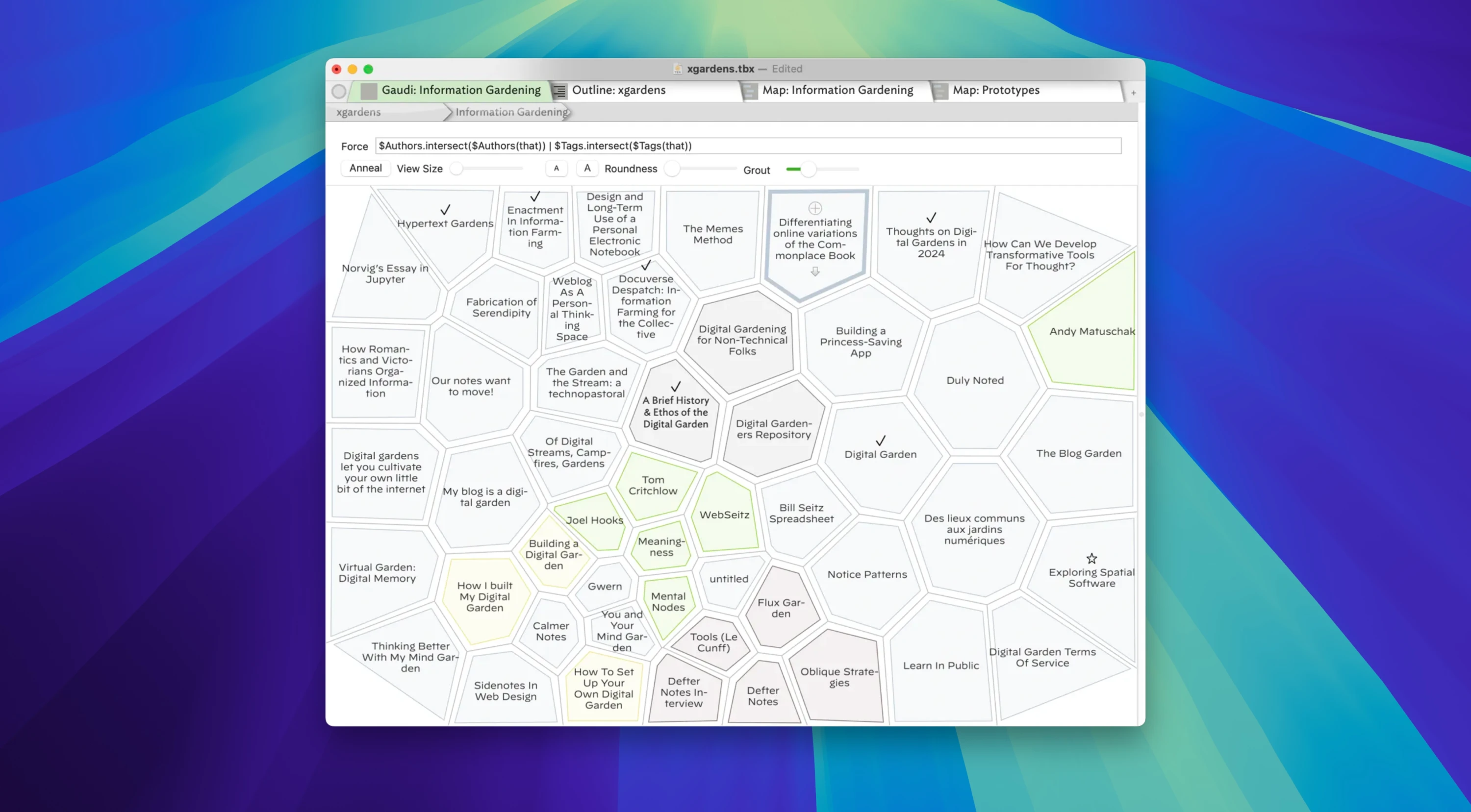
Description
Tinderbox is an application designed for storing records, ideas, notes, and plans, with built-in functionality for systematizing them and establishing interconnections to enable deeper analysis. The core of the tinderbox app is built around specialized agents that automatically track and form links between elements whenever new data is added to your knowledge base.
Tinderbox is capable of automatically gathering information from various web resources, updating its database, building connections, and maintaining the integrity of the overall structure. Users on Mac can also create their own custom agents to perform specific tasks and operations, which makes this application highly flexible and adaptable to individual needs and personal workflows.
Tinderbox is a powerful tool for managing personal notes, ideas, and plans that helps users organize, analyze, and visualize their information on Mac. The application offers unique features such as automatic link establishment between notes, comprehensive data visualization, and flexible agents designed for task automation.
Key Features of Tinderbox: Note and Idea Management Tinderbox allows you to store and organize notes, plans, and ideas with ease. Users can create text-based notes, attach images, add links and tags, making the entire process of information organization more flexible, intuitive, and convenient for everyday use.
Automatic Agents The agents within the tinderbox mac environment automatically scan through your notes, identify connections between them, and help discover important patterns and regularities. They can also update information pulled from the internet, which makes this application particularly useful for working with dynamic and constantly changing data sets.
Data Visualization The application offers a variety of ways to visualize your notes, including maps, timelines, diagrams, and outline schemes. This helps users gain a better and more comprehensive understanding of the relationships between their ideas, projects, and various interconnected topics.
Flexibility and Customization Tinderbox supports the creation of note prototypes, allowing users to quickly apply changes across entire groups of records simultaneously. Users can customize attributes, tags, and visual styles, adapting the application to suit their specific needs and preferred working methods on Mac.
Export and Integration After you tinderbox download and set it up, you can export data in various formats such as HTML, XML, RSS, and OPML. This makes it easy to share and exchange information with other applications, services, and platforms seamlessly.
Tinderbox is a versatile and universal tool for those who value order and want to efficiently manage their ideas and projects on Mac. Its unique features, such as automatic agents and robust data visualization capabilities, make it an indispensable assistant for professionals, researchers, and creative individuals alike.
Frequently Asked Questions
You May Also Like
Reviews & Comments
No comments yet. Be the first to share your thoughts!