
Navicat Premium
Description
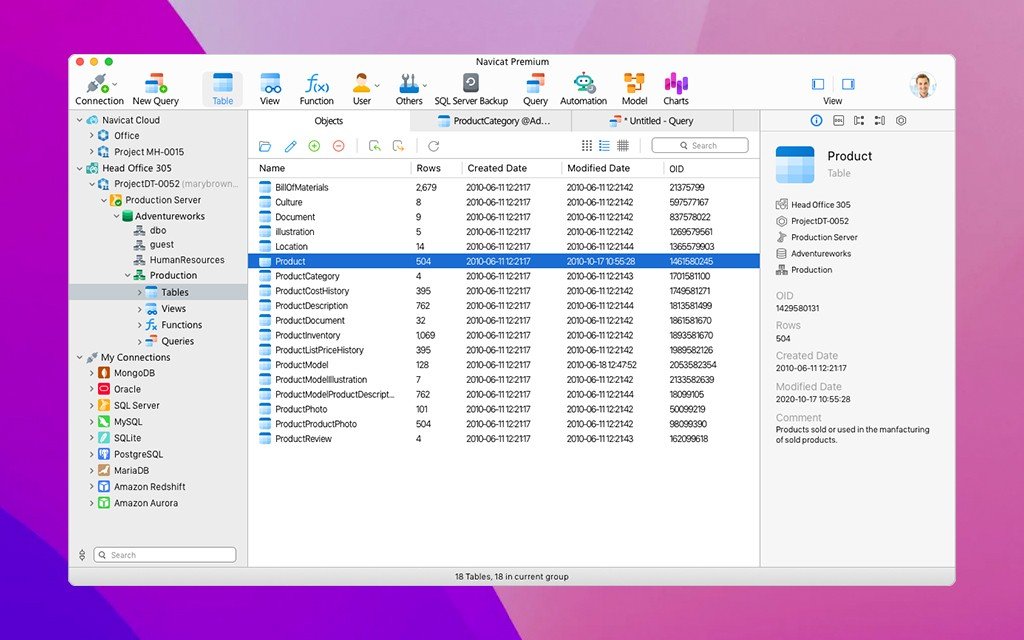
Navicat Premium is an exceptionally powerful database administration tool for Mac that allows you to connect to MySQL, SQLite, Oracle, and PostgreSQL databases simultaneously within a single application, making the management of multiple database types remarkably simple and convenient on your macOS system.
Navicat Premium combines the functionality of other Navicat applications into one unified solution. With connections established for different database types, navicat premium mac enables you to effortlessly transfer data between MySQL, Oracle, and PostgreSQL databases. It supports the majority of features available in MySQL, SQLite, Oracle, and PostgreSQL, including stored procedures, events, triggers, functions, views, and much more.
Batch processing for various database types can also be programmed and scheduled to run at a specific time on your Mac. Additional features include an import/export wizard, a query builder wizard, a report wizard, data synchronization, backup capabilities, a job scheduler, and many other useful tools. If you are looking for a navicat premium download option, this application provides everything you need for comprehensive database work.
The capabilities of Navicat are extensive enough to provide professional developers with a versatile and universal utility for their everyday workflow on macOS, yet at the same time, the interface remains intuitive and easy to learn for users who are just beginning to work with database servers on Mac.
Key features of Navicat Premium for Mac:
HTTP Tunnel
SSH Tunnel
Data and Structure Synchronization
SQL Console
Support for multiple connections to both local and remote database servers
Creation and deletion of databases, tables, indexes, and users
Full Unicode support
Import/export of data in 5 most popular formats: XLS, CSV, TXT, DBF, and XML
Creation and execution of SQL queries
Ability to schedule and automate essential tasks at predefined times
Support for transferring data from one database server to another
Database backup and restoration on Mac
Access rights management [Security Configuration]
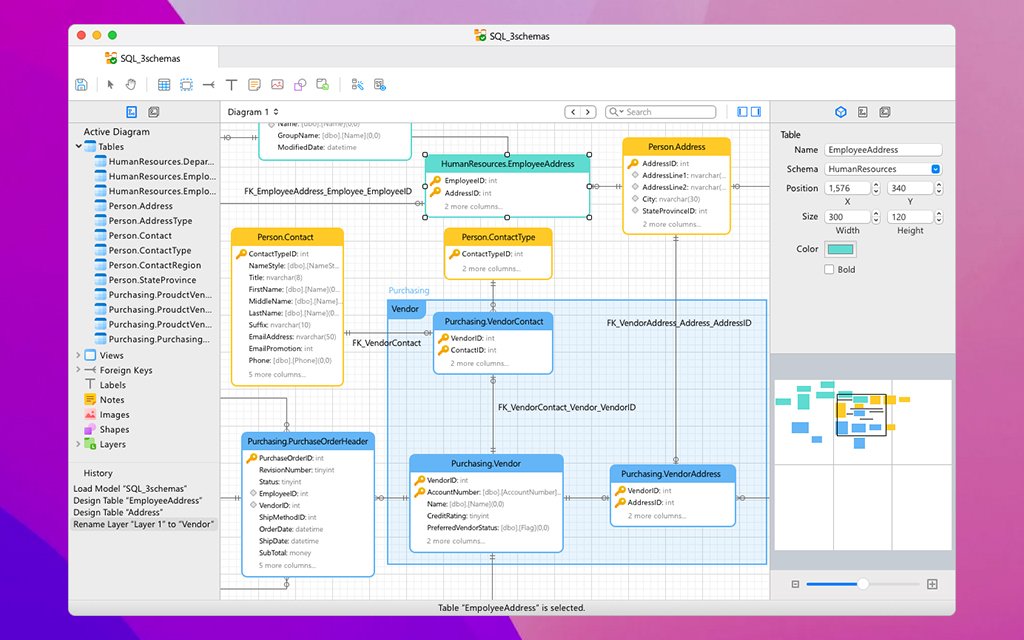
ER Data Model
Data model construction and visualization
SQL Minifier
Comprehensive database-wide search functionality
Ability to launch backup operations for MySQL databases (InnoDB only)
Added object list in the query editor for convenient navigation
Added DDL tab with detailed Object Information display. With navicat premium download mac, you get all these powerful features delivered in one complete package for macOS users.
Frequently Asked Questions
You May Also Like
Reviews & Comments
No comments yet. Be the first to share your thoughts!