
4K Video Downloader Plus Pro
Description
4K Video Downloader Plus Pro is a straightforward video downloader with nothing unnecessary — just pure functionality for your Mac. Video hosting platforms have made watching videos convenient and universally accessible, but there are also obvious downsides to consider. Right now the clip is available, but in an hour it could be deleted without warning. Your friend from Europe can watch a particular recording, but for your region it remains completely unavailable. Today you have a stable Internet connection, but tomorrow you are planning a trip to a remote area without the slightest hint of even a basic mobile signal. In short, the ability to save needed videos locally is genuinely useful, and to simplify this entire procedure it makes perfect sense to turn to a specialized utility designed for your Mac.
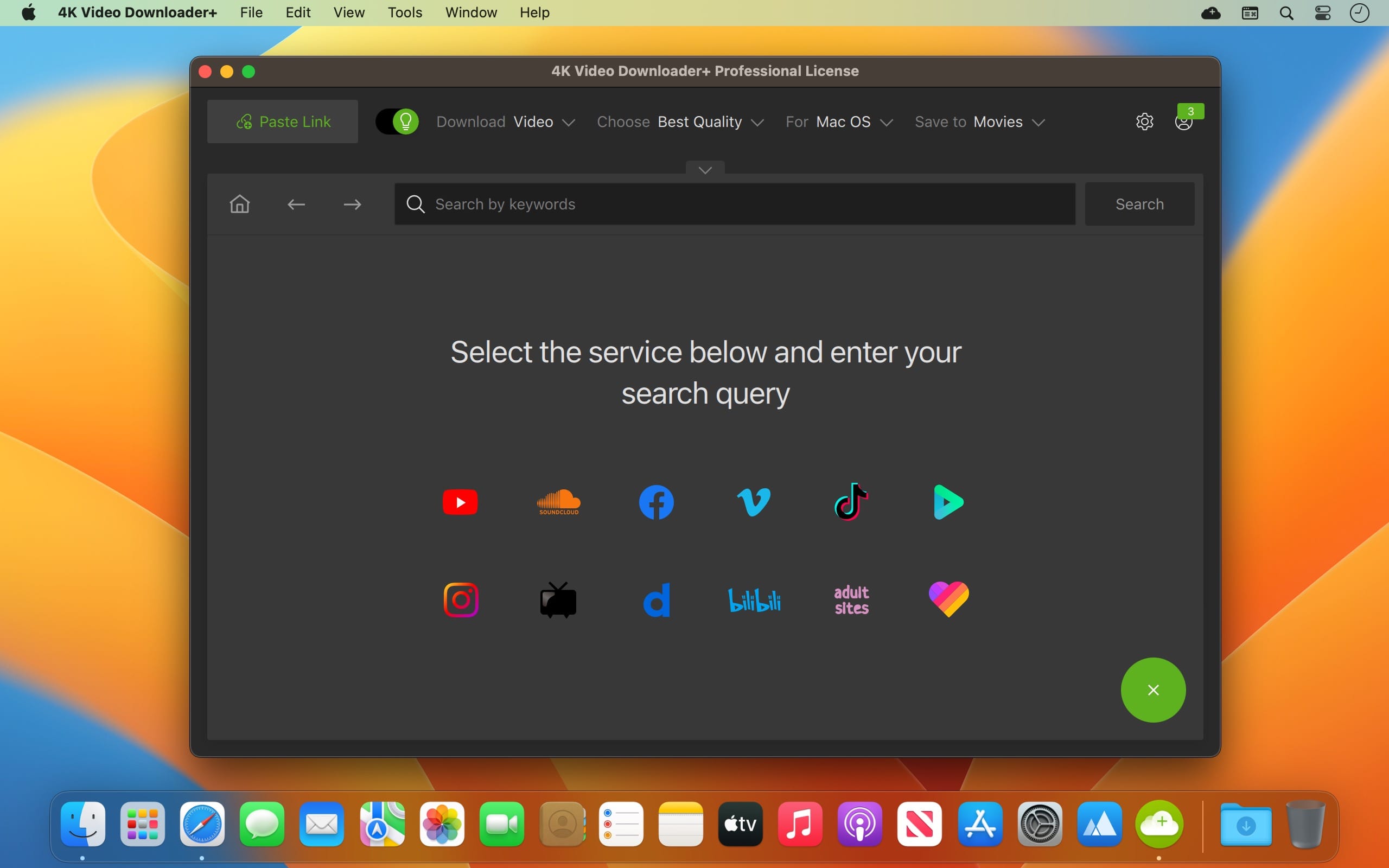
4K Video Downloader Plus Pro allows you to download video, audio, and subtitles from YouTube in high quality directly to your Mac computer. If you want to download videos for your iPad, iPhone, or other devices, then this application is exactly the right choice for you. The downloading process is simple and enjoyable — just copy the link from your browser and click "Paste Url". Enjoy your favorite videos anywhere and at any time, completely offline without any connection required.
* The registered version of the program provides the ability to download entire YouTube channels and playlists with subtitles or those containing more than 25 clips
Features:
• Download complete playlists and channels from YouTube and save them in MP4, MKV, M4A, MP3, FLV, 3G formats, and create .m3u files for your playlists automatically.
• Download videos in HD 1080p, HD 720p, or 4K quality and enjoy the highest resolution on your HD television, iPad, and other devices connected to your ecosystem.
• Advanced subtitle downloading capabilities let you choose what you prefer: having a separate .srt file or embedding subtitles directly into the video file for convenient playback on your Mac, for example.
• Activate "Smart Mode" in order to apply your selected settings to all subsequent downloads — quickly, efficiently, and simply.
• Download videos in 3D format — you will find a small 3D icon among the other available formats after the link analysis is complete. It is truly impressive to watch shows and animated content in full 3D.
• Download embedded YouTube videos from any web pages whatsoever — simply copy and paste the page address, and the portable 4k video downloader plus pro will automatically find the source for downloading.
• Download videos and audio from such popular sites as Vimeo, SoundCloud, Flickr, Facebook, and DailyMotion directly to your Mac.
How to download clips from popular video hosting services on Mac: 4K Video Downloader Plus Pro:
As you can easily guess from the name, the 4k video downloader plus pro app works with clips of any quality up to full 4K resolution. At the same time, to get the desired video onto your Mac, all you need is a link to the clip or playlist copied to your clipboard, after which you open the application and click Paste Url.
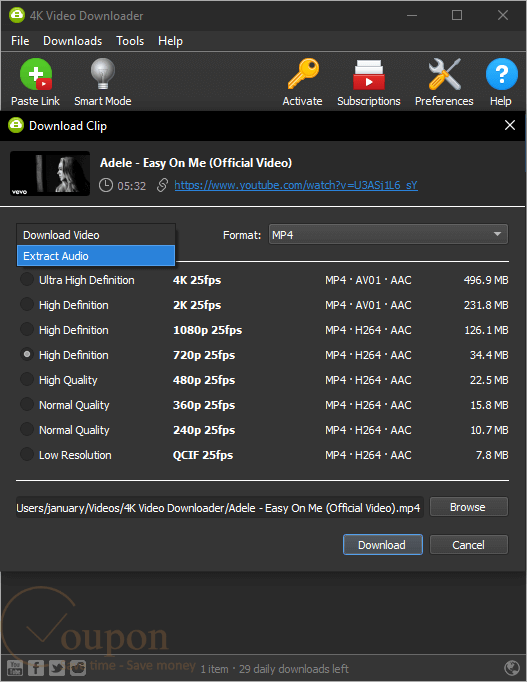
The program will instantly process the link, and then offer you the option to specify the parameters for the videos being downloaded.
• extract the entire video, or only the audio track;
• the format in which you want to save the video (3D videos are also fully supported and saved correctly);
• the quality of the original clip that will be pulled from the video hosting service;
• whether to include subtitles in the clip, and if so, in which language and in which format (as a separate file or embedded directly into the video).
After this, all that remains is to specify the save path on your Mac and click the Download button.
If you are facing a large-scale download of several dozen clips from different sources, and there is no need to individually configure the quality settings for each one of them, then it is worth using the clever feature called Smart Mode. Essentially, this is a preset template with parameters for all downloaded videos. In this mode, it is enough to simply paste a link to the next clip into the 4k video downloader plus pro mac application, and everything else, including the save path on your Mac, will be handled automatically in accordance with the pre-configured options. In essence, this is truly a one-click downloading experience that saves considerable time.
4K Video Downloader Plus Pro supports the services YouTube, Vimeo, Facebook, DailyMotion, SoundCloud, Flickr, and Instagram.
As mentioned above, to access any clip you only need a link to it. This makes it possible to download videos that are otherwise unavailable for your particular region due to geographic restrictions. Even if a YouTube clip is embedded in a web page with enhanced privacy parameters (meaning without the ability to navigate to the video on YouTube itself), 4K Video Downloader Plus Pro somehow recognizes the presence of the video within a simple page link and successfully extracts the clip to your Mac for offline viewing.
Frequently Asked Questions
You May Also Like
Reviews & Comments
No comments yet. Be the first to share your thoughts!